
From field notes to PDF: a practical way to write without starting over
A simple working method for turning field observations into a clear leak detection report without reconstructing the intervention at the office.
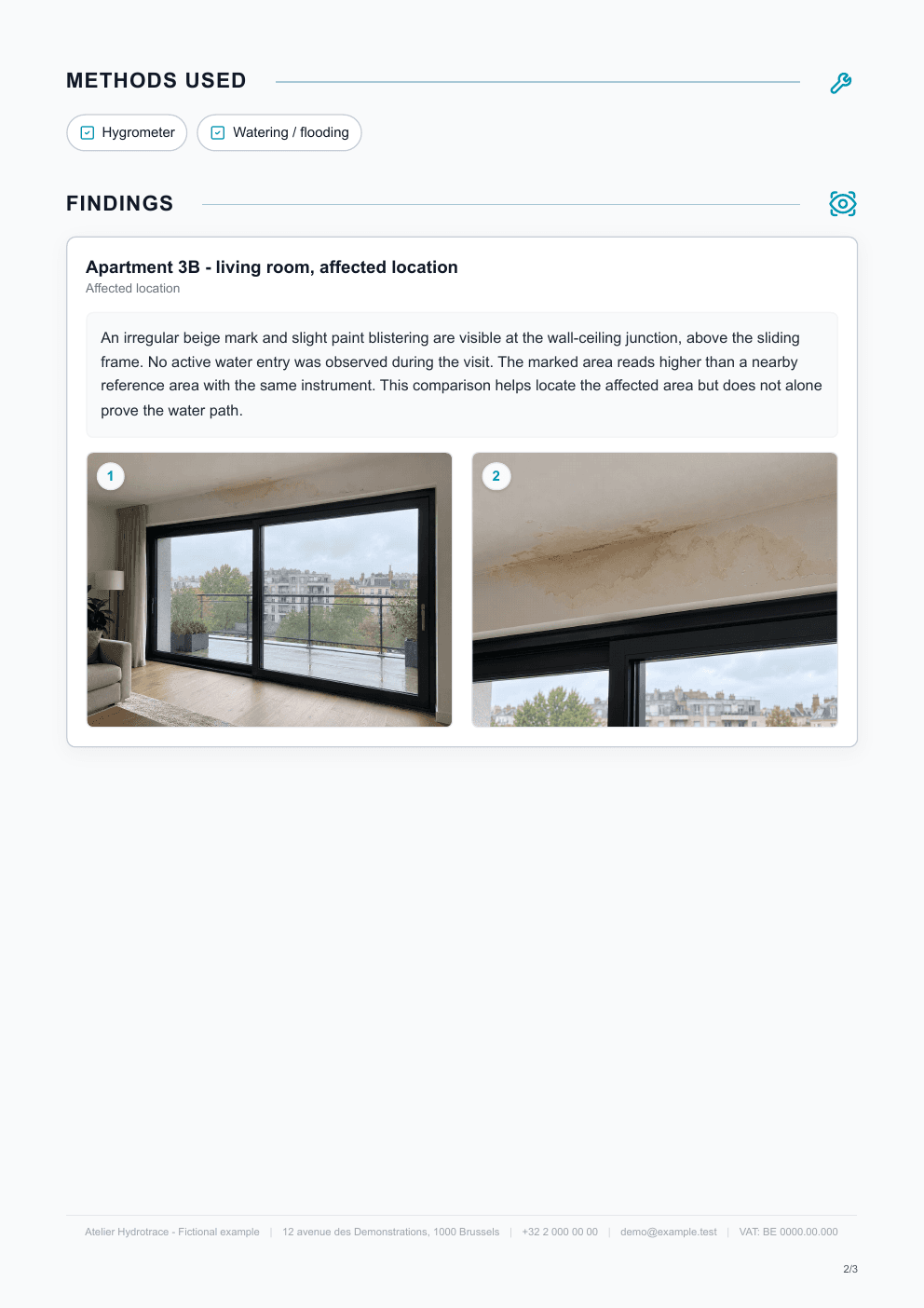
The difficulty of a report is not only the writing. It is often the reconstruction work several hours after the visit: finding the photos, remembering which test concerned which area, and making sense of notes taken too quickly.
A more effective method is to capture the context as you go, then leave the final interpretation for the conclusion.
Step 1 — Create the outline before writing
Before adding detail, set the case markers:
- address;
- client or requester;
- date;
- reason for the intervention;
- locations to inspect.
This minute of preparation prevents context-free notes later.
Step 2 — Create a block whenever the context changes
A block may correspond to:
- an apartment;
- a room;
- a window frame;
- a pipe or system;
- a test;
- an important observation.
The goal is not to multiply sections. It is to avoid one paragraph that mixes several locations and investigations.
Example:
Apartment 3B — living room
Runoff marks above the bay window. No active water observed during the visit.
Apartment 4B — terrace
Damaged perimeter seals and several partially blocked drainage openings.
Step 3 — Dictate or write facts, not the “final” text
On site, focus first on preserving the information.
A field note can be short:
Above the window frame, old runoff marks. No active water. Occupant reports it happens only during heavy rain.
The formatting can come later. The important thing is not to lose the context: where, what, when, and under which conditions.
If you use dictation, always check names, numbers, units, and technical terms before sending the report.
Step 4 — Attach photos immediately
At minimum, take:
- a view that locates the area;
- a detail if the defect is not clear in the wider view.
Add the photo to the relevant block while you still know exactly what it shows.
This avoids sorting through twenty images at the end of the day.
Step 5 — Record every test as “location + method + result”
This simple rule greatly improves the quality of a report.
Instead of:
Pressure test carried out.
write:
Heating circuit — pressure test: no significant drop observed during the test period.
Instead of:
Moisture meter.
write:
Wall beside the bay window — moisture reading: higher value than the nearby reference areas.
This structure is more useful to the reader and to you when the case needs to be reopened later.
Step 6 — Keep negative results when they change the reasoning
A negative check is not useless text if it helps rule out a possibility.
For example:
No visible defect found on the accessible waste connection.
or:
No pressure loss identified on the tested circuit.
There is no need to document every action that adds nothing to the diagnosis.
Step 7 — Write the conclusion after the facts
The conclusion should not introduce elements that are absent from the body of the report.
A useful review is to check that each important statement in the conclusion can be linked to a finding, measurement, or test already described.
Practical formula:
Retained source + level of certainty + supporting evidence.
Example:
The findings on the upper window frame, combined with the targeted water test, mainly point towards a sealing defect at the junction between the threshold and the frame.
See also the guide dedicated to writing a clear conclusion when it is published.
Step 8 — Separate next steps from completed work
Two short lists are enough:
Recommendations
- repair the threshold seal;
- check the drainage;
- carry out a new test after the work.
Completed actions
- inspection of both apartments;
- moisture reading;
- targeted water test.
The 90-second final review
Before sending, review only:
- the reason for the visit;
- the findings headings;
- the test results;
- the conclusion;
- the recommendations.
If these five elements tell the same story without contradiction, the report is usually coherent.
For a complete checklist of what to include, see what should a leak detection report include?.
Untopo lets you capture or dictate observations during the intervention, keep photos with their context, and generate the PDF afterwards.